

Similarly, when people reference or use your published blog post with a link to you, WordPress automatically sends a pingback to the content creator. This way, you can keep track of who’s linking to you. It’s also a system for acknowledging someone’s authorship of certain content. You’ll find your pingbacks in the comment section of your WordPress admin panel, listed alongside regular feedback. It’s important to identify whether pingbacks are genuine comments or disguised spam techniques so you can keep your website free from spam.
How to Fight Against Spam and Protect Your Website from Malicious Attacks
WordPress is a free and hugely popular open-source CMS used by millions of websites. This means many sites share similar HTML output for comment forms, making it easier for bots to find blogs and flood them with spam comments.
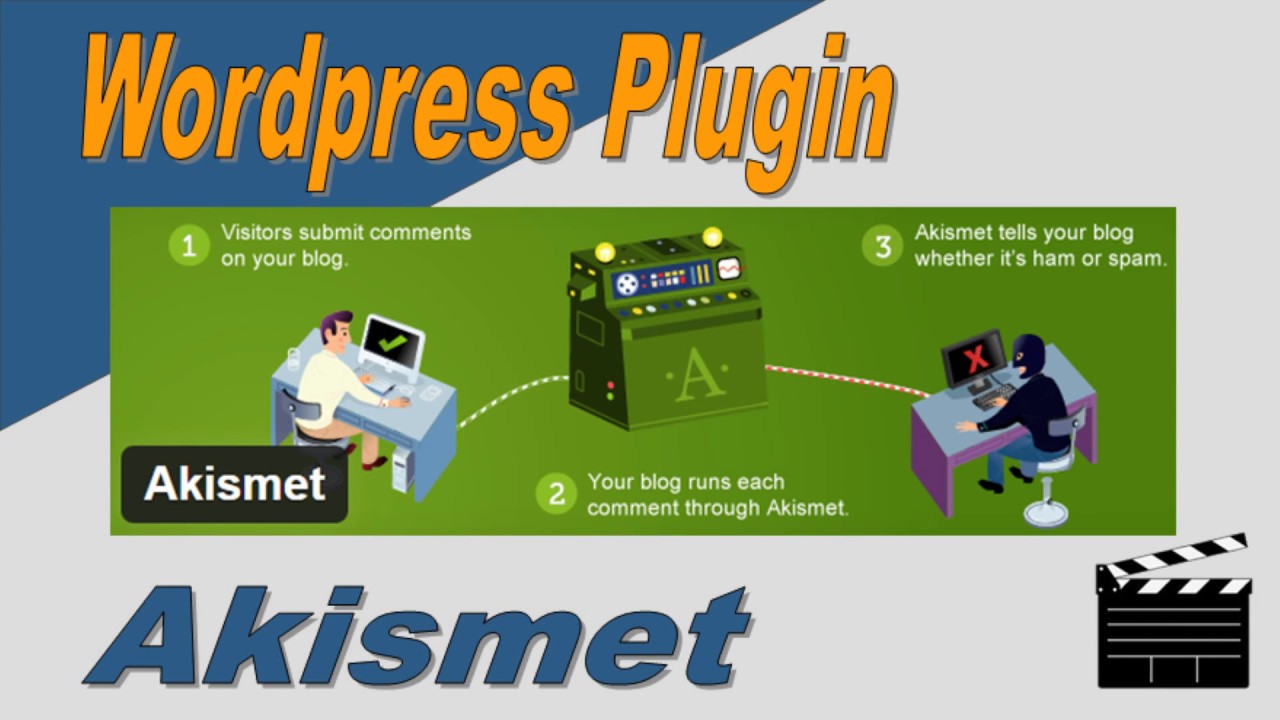
Today we’re going to talk about one of the most popular anti-spam plugins, used by millions of people and one that we also use ourselves. It prevents spam comment & malicious attack that is - Akismet.
Akismet is a spam filtering service whose name comes from Automattic and Kismet. Automattic, the company behind Akismet, was founded by WordPress co‑founder Matt Mullenweg. Akismet catches website comment and pingback spam using algorithms that learn from mistakes and from actions taken by participating websites. For example, when multiple sites start reporting similar content as spam, Akismet is trained to recognize and classify that type of content as spam in the future.
On popular websites, spam feedback can reach up to 85%, meaning only 15 out of every 100 comments are genuine. Moderating comments is a time-consuming task, but Akismet can save you hours by catching spam before it even reaches your moderation queue. This way, you can easily check whether the feedback is from bots or real visitors.
If your comment gets marked as spam by Akismet, it won’t appear in the moderation list and will automatically go to the spam folder in the future. If you post a comment on a website and don’t see it along with a note saying “waiting for moderation,” you should contact the site administrator. They can retrieve your comment from the spam folder, and Akismet can learn from its mistakes.
How to install Akismet on your website or blog?
To activate Akismet on your website or blog, just head to your WordPress dashboard and follow these steps.

- First, install the Akismet plugin by navigating to Plugins > Add New.
- Type “Akismet” into the search box and click on “Search Plugin.”

- Usually, the first search result is correct. Ensure the plugin’s author is Automattic, then click Install Now.
- You’ll see a pop-up asking if you’re sure you want to install the plugin—just click OK. If the plugin is already installed, the Install Now link will be replaced with Installed. In that case, you can skip ahead to the next step. On the following page, click Activate Plugin.


- After the plugin has been activated, go to Plugins > Akismet

If you have Jetpack installed, you’ll see the Akismet menu item under Jetpack >> Akismet instead:
- If you already have an API key, enter it in the “Manually enter an API key” section, then click “Use this key.”
- If you don’t already have an API key, just click the Get Your API Key button, and a new window will walk you through the process of getting one.
- If you have Jetpack installed and want to use the API key linked to your Jetpack account, click on


If you’re connected with Jetpack but want to use a different API key, simply select Manually enter an API key to add it. To get a new API key, click the Register a different email address button. Thanks for your interest in us, and don’t forget to share this post on your social profile.


